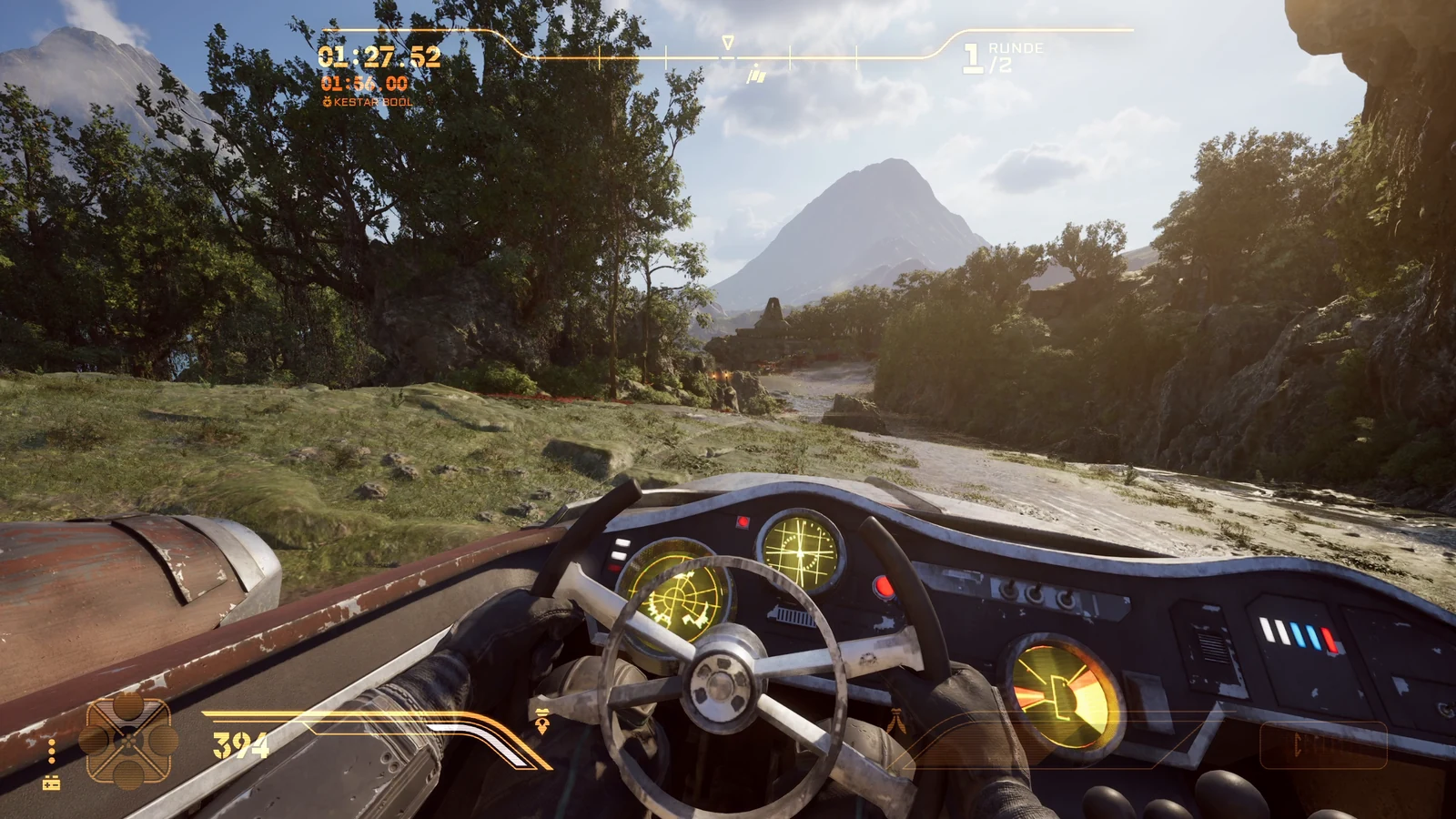
STAR WARS Galactic Racer: Steam copy and VR requirements
STAR WARS Galactic Racer launched October 6, 2026, from Fuse Games and Secret Mode for PC, PlayStation 5 and Xbox Series. It runs on Unreal Engine 5. This installation route uses Windows and Steam. The ordinary PC requirements include 12 GB RAM, an RTX 2060-class GPU option and 50 GB SSD storage; headset resolution and refresh add their own rendering workload.
Prepare headset software and the runtime
Choose your exact headset model, connection app and input device. Install any missing official PC software and prepare the computer with the headset off. If an app requires device pairing during setup, connect the headset for that step. After connecting for VR, check the active render resolution and refresh rate.
The launcher needs Microsoft .NET Desktop Runtime 8 or newer; its UEVR tools also use the .NET 6 Desktop Runtime. Check missing software before opening the installer. The original package downloads the specified UEVR compatibility build and supplies the game profile, cockpit files and plugins. The injector alone does not replace this complete game-specific setup.
Choose a PC-VR headset connection
Choose the PC connection software for your exact headset and prepare its runtime on Windows. The game runs on the computer; this mod route does not provide standalone Quest/PICO play or a PS5 VR mode.
PS VR2
Check adapter, DisplayPort, USB/Bluetooth, PlayStation VR2 App and SteamVR. PC eye tracking/HDR are unavailable.
Details ↗Quest 2 / 3 / 3S / Pro
Choose a cable or wireless connection app for your headset. In Virtual Desktop, check rendering and streaming separately.
Details ↗Pimax Crystal family
Identify Original/Light/Super, Pimax Play and runtime. Avoid stacked resolution overrides.
Details ↗Valve Index / HTC Vive
Verify tracking and SteamVR, then the actual mod combination.
Details ↗PICO 4 / 4 Ultra / Neo 3
Prepare supported streaming software/runtime; test connection and race together.
Details ↗Check older drivers against Windows support. Windows 11 24H2 and later removed Windows Mixed Reality. Microsoft ↗
Install the Galactic Racer VR mod: five steps
01STEP 1Check game and backups
Launch STAR WARS Galactic Racer normally in Steam. Record its build, back up graphics/UEVR settings, close it and complete missing computer-side prerequisites.
02STEP 2Download the original mod
Use VRGD Studios’ download and manual. Extract the package; open the original launcher without administrator privileges.
03STEP 3Review and install
Read changes and licences. Use the installer’s dependencies; keep the rig disabled and global motion changes unchecked. Stop if seated-only scope cannot be maintained.
04STEP 4Prepare launch
Locate the desktop shortcut created by the original installer and check the version shown in the launcher. Start your selected streaming app on the PC.
05STEP 5Connect and test
Now wear the headset and connect. Open the desktop view in Virtual Desktop, launch the original mod launcher from its prepared desktop shortcut and choose Play. Check cockpit view, head tracking and controls in a short race. Use this shortcut to start, even if the game has no entry in the games list.
STAR WARS Galactic Racer in VR: settings and frame times
For VR racing, disable frame generation. The v1.0.4 manual recommends TSR/50% scaling for the author’s setup, not your measured optimum. After the first VR launch, compare the same 60-second racing segment, changing one option at a time.
A VR headset renders a separate view for each eye. Resolution and refresh can demand more GPU work than a flat-screen race. Measure CPU/GPU frame time, VRAM, dropped frames and reprojection. At 90 Hz, each real frame has 11.11 ms; at 72 Hz, 13.89 ms; at 120 Hz, 8.33 ms. These budgets follow 1000 divided by refresh rate; leave headroom for spikes.
If GPU frame times rise above the budget or the delivered frame rate falls, change one resolution/upscaling layer and remeasure. Lowering resolution alone is not a CPU fix. For streaming, separate rendering, encoding, network and decoding. Compare supported changes, restore worse results and record synthetic frames separately.
Your frame budget
Time per real frame. A calculated budget, not measured game performance.
Uninstall STAR WARS Galactic Racer VR and restore Steam play
Close the game and use Uninstall. Keep backups and shared runtimes other programs need. Restore shared settings, check normal Steam play and record rollback.
Galactic League vehicles: what to test in VR
In the Galactic League, STAR WARS Galactic Racer’s unsanctioned racing circuit in the lawless Outer Rim, you pilot landspeeders, speeder bikes, skim speeders and podracers. These repulsorcraft have distinct physics and playstyles. Keep the same ride and settings when checking VR rendering, so vehicle handling does not distort the comparison.
Vehicle customization changes appearance and performance characteristics. A different setup can give a competitive edge in a race, while your GPU frame time may stay unchanged. Podracers are not customizable. Check cockpit view and steering before switching to speeder bikes or skim speeders.
Start your first Galactic League VR ride in a short solo Arcade event. The game also has a single-player campaign, Scenarios and online multiplayer. Solo modes can run offline after the first PC authentication; patches and online features need a connection. Use a repeatable solo route for graphics tuning before testing other modes.
Racing involves fast changes of direction and avoiding crashes. Begin with familiar controls and a manageable pace. Learn the ride’s handling before aggressive overtaking, so a failed turn and a rendering hitch are easier to distinguish.
Galactic Racer VR troubleshooting
Game starts without VR
Close normally. Compare launcher error, game/mod versions and runtime, then verify the connection. If head tracking is lost, stop the race and check the headset’s PC-VR environment before restarting the original launcher. A mirror alone does not establish tracked stereo.
Stutter or incorrect view
Stop if the view makes you uncomfortable. High, stable delivered frame rates and consistent frame times matter for comfortable VR racing. Check tracking and reprojection before reducing quality. If motion blur is exposed in your current graphics settings, test it off; compare the same route. Check cockpit and menus without stacking guessed profile changes.
View is wrong after an update
Close the game and compare the game build, package version and runtime. Use the original package’s Repair or current author update when its files changed. Keep your backup and avoid importing another profile on top of the cockpit configuration.
STAR WARS Galactic Racer VR FAQ
Is a first-person camera already VR?
No. A flat-screen first-person or third-person view is a camera choice. The cockpit package places the first-person camera in the pilot’s seat; UEVR provides stereoscopic rendering and head movement. Confirm the view in the headset, not only the desktop mirror.
Do I need a motion rig?
No. The manual describes VR and cockpit use without a motion program. Keep a seated setup’s rig disabled and review any existing motion integration during installation.
Can I steer with a wheel or HOTAS?
The base game has no native wheel/HOTAS support. VRGD’s separate bridge documents the Saitek X52 and Logitech G923, with other devices requiring mapping. Head tracking and steering are separate; begin with your selected input device and verify its controls.
Should I install the latest UEVR nightly or a Discord profile?
Follow the original installer’s specified build and game profile. Community profiles and Flat2VR discussions are useful for generic UEVR help, but mixing files can replace the cockpit setup. If the dependency download no longer matches the author’s check, use the author’s package update rather than bypassing the check.
Is an RTX 3070 or RTX 3080 a guaranteed VR minimum?
A GPU name alone does not establish headset performance. The developer’s ordinary minimum and your measured VR load are different requirements. Choose resolution and refresh from delivered frame times; use supported lower refresh or reprojection when necessary and record synthetic frames separately.
How do I launch through Virtual Desktop?
After PC setup, connect the headset, open the original launcher on the visible desktop and press Play. The launcher uses OpenXR. UEVR’s documentation also recommends OpenXR for Virtual Desktop to avoid rotational lag; check the active route before changing unrelated quality settings.
Can I use the mod on consoles or a standalone headset?
This guide uses the Windows Steam version. The official game platform list names PC, PlayStation 5 and Xbox Series; it does not list Nintendo Switch 2. The cockpit mod is a PC installation, so a Quest/PICO standalone library or a PS5 game copy is not this launch route.
Original sources and credits
Technical route: VRGD Studios’ original download and v1.0.4 manual, checked October 14, 2026. Native VR and input support: developer FAQ. PC requirements: Steam. Engine details: Fuse Games’ Unreal Engine interview. Use the original package and its supported launch route.
VR + motion mod: VRGD Studios · VR: praydog / UEVR · joeyhodge — Galactic Racer compatibility build · Cockpit: Elliott Tate / Flat2VR.
Fuse Games: Unreal Engine 5 interview
STAR WARS © & TM Lucasfilm Ltd. · Developer: Fuse Games · Publisher: Secret Mode.