Does it run without a gaming PC?
Yes. The computer builds and installs the adapted Android game; the headset runs it afterward. Our setup does not stream gameplay through Quest Link or PCVR. This is the first Red Dead Redemption, not Red Dead Redemption 2.
What was the alpha like to play?
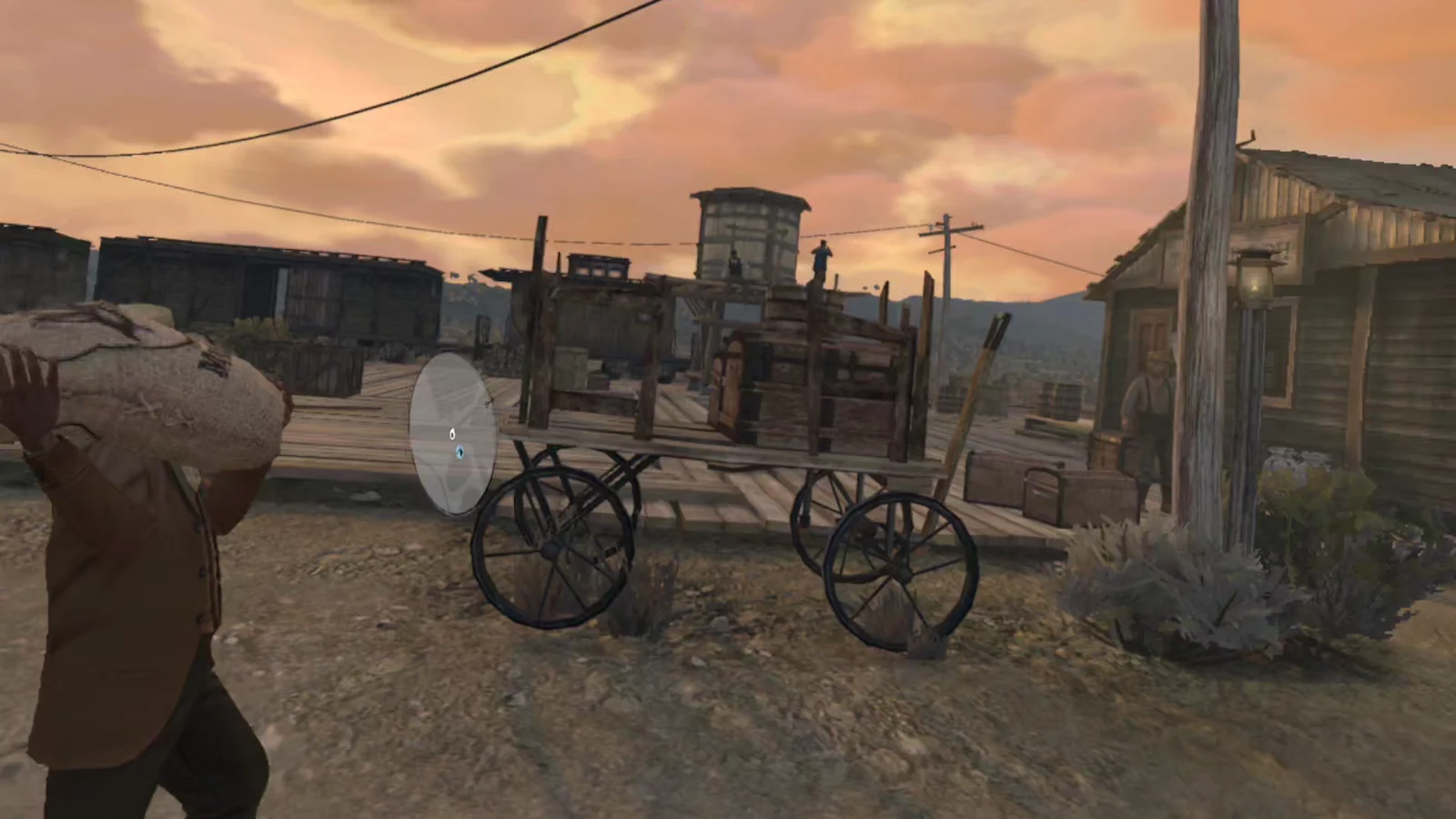
We reached the game world and confirmed head tracking and movement. The minimap initially flickered. Our profile stopped the flicker and moved the display higher into view. Stuttering and the limited Android graphics remain noticeable, and our tester felt uncomfortable while riding a horse. Technical playability does not mean comfortable play for everyone. Start with a short session and stop if you feel unwell.
What do you need?
Our Windows workflow requires:
- A Quest 3 with Developer Mode enabled and enough free storage.
- A Windows computer and a USB data cable for the initial connection.
- An AI assistant with Computer Use, terminal access, and file access.
- Internet access and at least 30 GiB of PC workspace.
- Your own compatible Android game files and valid access to the game.
A chat assistant without computer and file access can explain the process but cannot carry out the installation. Missing build tools belong in the setup process; you do not need our studio's existing tools. Have the installer calculate the headset storage requirement before transferring anything.
Which files does our kit accept?
Kit v001 expects our verified Android/Netflix build 1.58.63226194: the original base.apk and two data splits, plus a separate compatible local data container. It verifies actual file checksums. A matching version number in a filename is not enough.
Downloading the full game on a phone does not guarantee a complete export. On our unrooted Pixel, normal debugging access exported the APKs but did not expose the private downloaded assets. Our successful Quest build therefore required separately supplied compatible local data. The kit does not include game files.
Three steps onto your Quest 3
01STEP 1Prepare the Quest and your files
Enable Developer Mode, connect the Quest with a data cable, and personally accept the USB debugging prompt inside the headset. The assistant must identify the correct Quest, especially if other Android devices are attached.
Keep the PromptHammer kit, original export, and data container in separate folders. Preserve the entire original export. Check versions, checksums, and available storage first. Missing assets should stop the process; do not assume the Quest will download them later.
02STEP 2Run the installation prompt
Copy the English or German installation prompt into your AI assistant and provide the real local folder paths. It guides the checks, import, and build. You still handle required confirmations on the headset.
Our importer reads the data container as a file; it does not install or run the data APK. The builder then creates your personal Quest build. Keep its signing key locally for updates. Never upload that key to a public download. If verification fails, have the assistant identify the file involved rather than bypass checks or mix editions.
03STEP 3Install, apply the profile, and launch
After a successful build, the assistant installs the checked APK set onto the selected Quest and applies our comfort profile. Put on the headset and launch RDR from the unknown-sources section of the app library. The filter's location may vary with the headset interface.
Our Netflix build required signing in on the Quest. Enter credentials yourself and keep them out of prompts and recordings. Then check the game world, head tracking, and minimap position.
What does the minimap and graphics profile change?
The profile puts the HUD on a shared display plane and raises its position. This stopped the minimap flicker in our test. It also changes edge detail reduction from HIGH to MEDIUM and starts the GPU helper.
It is not a graphics overhaul: there are no replacement textures, and we have not measured a sustained frame-rate improvement. After a full headset reboot, reapply the profile and helper through an authorized connection. Playing still does not require a streaming PC.
Questions and troubleshooting
Does it work on Quest 3S?
The original project lists Quest 3 and Quest 3S. We tested our adapted workflow only on Quest 3. Quest 3S is not a verified result from our studio.
Do I need to sign in to Netflix every time?
Our first launch required a sign-in. We have not tested how often authentication is requested over longer use. The Netflix edition still requires valid Netflix access.
Why does verification fail with the same version number?
Different splits, missing archives, or different checksums may not match our kit even when the displayed version is identical. Keep the error message and check the inputs. Downloading arbitrary replacement files is not a reliable fix.
What if the game crashes or the minimap flickers again?
First check that the complete verified build is installed and that the profile was reapplied after the last reboot. Preserve saves and your signing key before considering a reinstall. A diagnostic report and exact version are more useful than changing unrelated settings.
Where are the prompt and installation kit?
The complete prompt and verified installation kit are in the download section on this page. Find more projects on prompthammerstudios.com. The kit contains mod source, an importer, checks, and prompts. You supply your own compatible game files. Our repeated studio installation succeeded; we do not promise a universal one-click install for this early alpha.
Project and account information
Original VR mod: rdr1-quest on GitHub
Our kit documents its adaptations and test scope. General Netflix game requirements: Netflix Help Center